
Visitors do not arrive on your website ready to believe every claim you make.
They have seen polished landing pages before. They know every product says it is easy, fast, trusted, and built for people like them. Before they sign up, book a call, or buy, they usually look for one thing your own copy cannot fully provide: proof from other people.
That is where social proof becomes powerful. The right proof makes your website feel safer, more credible, and easier to trust. It shows that real customers have already taken the leap and had a good experience.
In this guide, we will walk through 15 social proof examples you can add to your website, where each one works best, and how to use them without making your site feel crowded or fake.
The data backs this up. Nielsen's 2021 Trust in Advertising Study found that 88% of global respondents trust recommendations from people they know more than any other channel. BrightLocal's 2026 Local Consumer Review Survey found that 97% of consumers read reviews for local businesses, and Northwestern University's Spiegel Research Center found that purchase likelihood for a product with five reviews was 270% greater than for a product with no reviews.
What Is Social Proof?
Social proof is evidence that other people have used, trusted, bought, recommended, or benefited from your product or service.
On a website, that proof can show up as a customer testimonial, a video review, a star rating, a case study, a customer logo, a press mention, or even a simple counter showing how many people use your product.
The goal is not to brag. The goal is to reduce uncertainty. When visitors see proof from customers, peers, experts, or communities, they have an easier time believing your promise.
The best social proof is:
- Specific enough to feel real.
- Placed near important decisions.
- Relevant to the visitor's problem.
- Easy to verify or understand.
- Designed to support your CTA, not distract from it.
1. Customer Testimonials
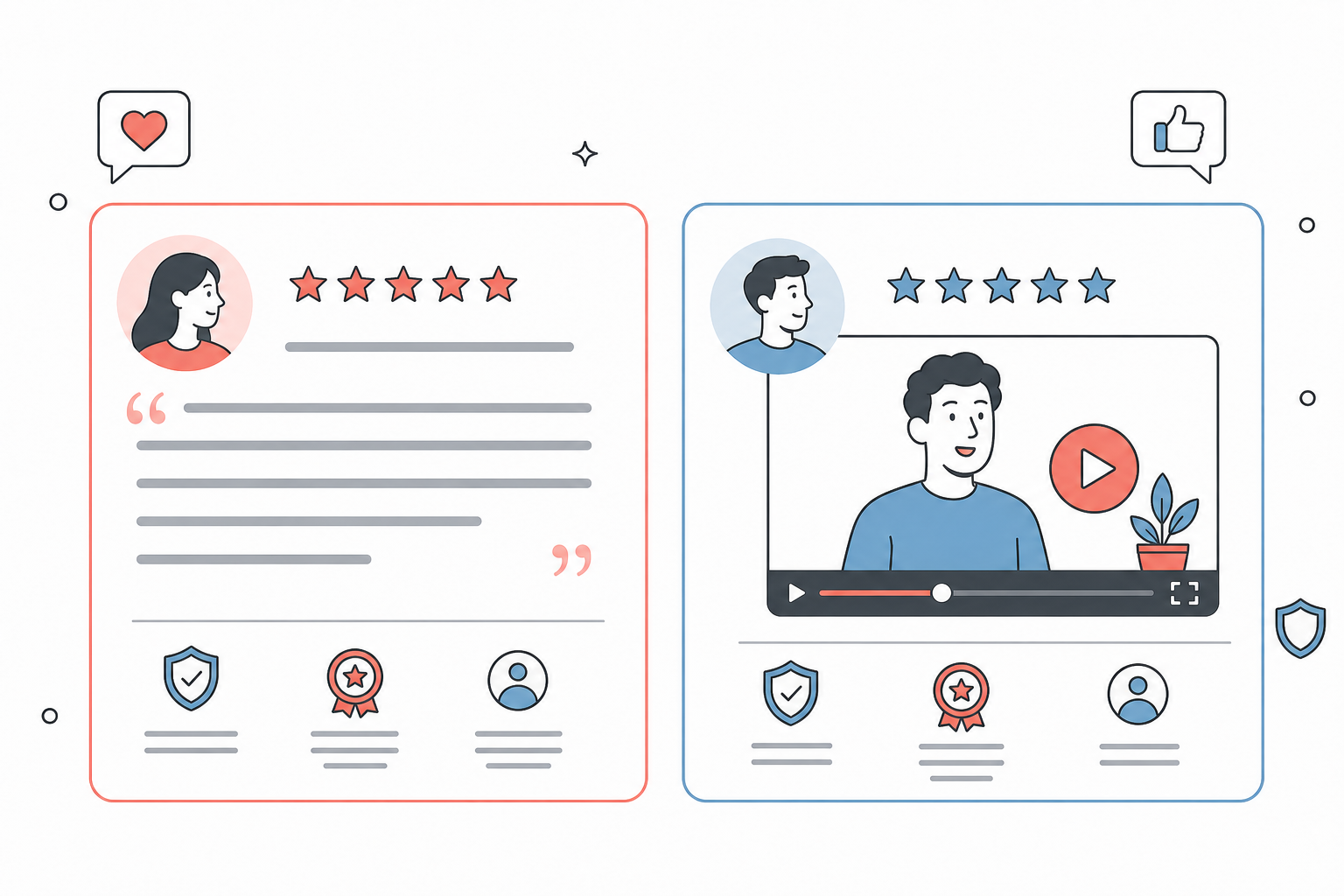
Customer testimonials are one of the most direct and flexible forms of social proof. They use your customers' words to explain what your product helped them do, why they chose you, and what changed after they started using it.
A strong testimonial is more than "Great product!" It usually includes a person, a role, a company or context, and a specific result.
If you want the deeper psychology behind this, we break it down in Why Customer Testimonials Work. The short version: testimonials help buyers hear the promise from someone who has already taken the risk.
For example:
"ProofWall helped us turn scattered customer praise into a clean testimonial section on our pricing page. Setup took minutes, and we finally have proof where buyers actually look."
That works better than a vague quote because it tells the visitor what happened, where the product was used, and why it mattered.
Best places to use customer testimonials:
- Homepage hero sections.
- Product and feature pages.
- Pricing pages.
- Landing pages.
- Signup or booking pages.
How to make them more trustworthy:
Add names, photos, job titles, company names, and relevant details when you have permission. Keep testimonials short enough to scan, but specific enough to feel useful. If you need help collecting them, use the templates in How to Ask for a Testimonial Over Email.
2. Video Testimonials
Video testimonials add a layer of authenticity that text alone often cannot match. Visitors can see a real person, hear their tone, and pick up on natural details that make the testimonial feel more believable.
This matters most when the buying decision involves risk. If you sell a higher-ticket service, a SaaS product, coaching, consulting, or anything that asks for a meaningful commitment, video can make the customer story feel more human.
Wyzowl's testimonial research found that 79% of people have watched a video testimonial to learn more about a company, product, or service, and 64% said a testimonial video played a part in convincing them to buy.
Best places to use video testimonials:
- Sales pages.
- Demo pages.
- Product pages.
- Agency or consultant websites.
- High-intent landing pages.
How to make them more trustworthy:
Keep the videos focused. Ask customers to answer simple prompts like what problem they had, why they chose you, and what result they saw. A clear 45-second video is often stronger than a polished five-minute interview.
3. Testimonial Walls
A testimonial wall, sometimes called a "Wall of Love," shows many customer quotes in one place. Instead of relying on one or two endorsements, it creates trust through volume.
This is especially useful when visitors want deeper validation before taking action. A wall of love gives them a place to browse customer voices, scan different use cases, and see that the positive feedback is not isolated.

Best places to use testimonial walls:
- A dedicated customer love page.
- Homepage sections.
- Product launch pages.
- Pricing pages with a "see what customers say" link.
- Sales follow-up emails.
How to make them more trustworthy:
Mix different types of testimonials. Use short quotes, detailed stories, star ratings, avatars, and video clips. With ProofWall, you can collect text and video testimonials, approve the best ones, and publish them as a wall, grid, carousel, or slider without code.
For more layout ideas, see 5 Creative Ways to Display Testimonials on Your Website.
4. Star Ratings And Review Scores
Star ratings are fast trust signals. They help visitors understand sentiment at a glance, especially when they are scanning product pages, service pages, or pricing sections.
Ratings work because they are familiar. People are used to evaluating restaurants, apps, products, and services through review scores. When used honestly, they can make your website feel more transparent.
BrightLocal's 2026 survey also found that 41% of consumers "always" read reviews when browsing for local businesses, up from 29% the previous year. That makes ratings and review snippets especially useful when visitors are comparing options.
Best places to use ratings:
- Product cards.
- Pricing sections.
- Checkout pages.
- Feature comparison pages.
- Testimonial widgets.
How to make them more trustworthy:
Pair the rating with context. A five-star rating is more credible when visitors can also see who gave it, what they said, and when possible, where the review came from.
5. Customer Logos
Customer logos give visitors a quick way to understand who trusts you. For B2B companies, this can be especially effective because people often look for familiar company names before reading deeper proof.
The point is not always to show the biggest brands. It is to show relevant brands. A bootstrapped SaaS founder may care more about seeing other SaaS companies than seeing a random Fortune 500 logo.
Best places to use customer logos:
- Homepage hero sections.
- "Trusted by" strips.
- Enterprise or agency pages.
- Case study indexes.
- Sales decks and landing pages.
How to make them more trustworthy:
Only use logos you have permission to show. If you do not have recognizable logos yet, use testimonials, industry labels, or customer segments instead. Relevance beats name-dropping.
6. User Numbers And Counters
User numbers show adoption. They tell visitors that other people have already chosen your product, joined your community, booked your service, downloaded your resource, or completed a key action.
Examples include:
- "2,400+ testimonials collected."
- "800+ websites using our widgets."
- "14,000 customers served."
- "35,000 downloads."
- "10,000 newsletter subscribers."
Specific numbers usually feel more believable than rounded claims. "2,417 testimonials collected" often sounds more real than "Thousands of testimonials collected."
Best places to use counters:
- Homepage hero sections.
- Signup pages.
- Community pages.
- Product dashboards.
- Pricing pages.
How to make them more trustworthy:
Use numbers that matter to your audience. Do not display weak vanity metrics just because you can. If your numbers are still small, use customer quotes, case studies, or founder credibility instead.
7. Case Studies
Case studies are long-form social proof. They go beyond a quick quote and show the full story: the problem, the decision process, the implementation, and the result.
They are especially useful when your product or service has a longer sales cycle. A testimonial can create interest, but a case study can answer deeper questions.
This is why case studies are so valuable for conversion-focused pages. They turn praise into proof, which is the core idea behind building a high-conversion testimonial engine.
Best places to use case studies:
- Sales pages.
- B2B SaaS websites.
- Agency websites.
- Consultant websites.
- Email nurture sequences.
How to make them more trustworthy:
Use a simple structure:
- What problem did the customer have?
- What solution did they choose?
- What changed after using it?
- What measurable result can you show?
Avoid turning the case study into a disguised sales pitch. Let the customer story carry the proof.
8. Before-And-After Results
Before-and-after proof works because it makes progress visible. Instead of asking visitors to imagine the outcome, you show the contrast.
This is common in design, marketing, fitness, coaching, consulting, conversion optimization, and creative services. It can also work for SaaS if you show workflow improvements, dashboard cleanup, reporting improvements, or reduced manual work.
Best places to use before-and-after proof:
- Service pages.
- Portfolio pages.
- Landing pages.
- Case studies.
- Sales decks.
How to make it more trustworthy:
Be careful with claims. Do not exaggerate results or imply every customer will get the same outcome. Add context so visitors understand what changed and why.
9. Social Media Praise
Social media praise is powerful because it often starts as unsolicited proof. A customer posts about your product, recommends you in a thread, replies with a kind comment, or shares a win publicly.
That kind of proof can feel more natural than a formal testimonial because it was created in the customer's own environment.
Best places to use social media praise:
- Homepages.
- Launch pages.
- Product update pages.
- Creator websites.
- Community pages.
How to make it more trustworthy:
Ask for permission before republishing a post as a testimonial. If you use screenshots, keep them readable and current. Better yet, turn the quote into a clean testimonial card so it fits your website design while still preserving the customer's voice.
10. User-Generated Content
User-generated content, or UGC, includes photos, videos, posts, comments, and other content created by your customers or community.
For ecommerce and consumer brands, this might be customers using the product. For SaaS, it might be users sharing workflows, dashboards, templates, or results. For communities, it might be member wins and event photos.
Best places to use UGC:
- Product pages.
- Community pages.
- Social landing pages.
- Ecommerce homepages.
- Email campaigns.
How to make it more trustworthy:
Curate content that shows real use. Perfectly polished content is not always more persuasive. Often, the most effective UGC feels practical, human, and a little less produced.
11. Trust Badges And Certifications
Trust badges reduce anxiety around security, payment, privacy, guarantees, and credibility. They are especially important when visitors are about to share information or make a purchase.
Examples include:
- Secure checkout badges.
- Money-back guarantees.
- Privacy or compliance badges.
- Partner certifications.
- Awards.
- Industry memberships.

Best places to use trust badges:
- Checkout pages.
- Pricing sections.
- Signup forms.
- Contact forms.
- Footer areas.
How to make them more trustworthy:
Only show badges that mean something. A fake-looking badge can hurt trust instead of helping it. If you offer a guarantee, explain it clearly near the buying decision.
12. Press Mentions And Media Logos
Press mentions borrow credibility from publications, podcasts, newsletters, or industry sites that have featured your company.
An "as seen in" section can work well near the top of a page because it quickly tells visitors that independent sources have paid attention to your brand.
Best places to use press proof:
- Homepage hero sections.
- About pages.
- Investor or partner pages.
- Product launch pages.
- Press pages.
How to make it more trustworthy:
Link to real coverage when possible. If the mention is minor, avoid overselling it. A genuine niche publication can be more useful than a vague media logo strip with no context.
13. Expert Endorsements
Expert endorsements work when authority matters. If your audience needs confidence in quality, safety, accuracy, or strategic value, an endorsement from a credible expert can reduce doubt.
This is different from a celebrity endorsement. The expert matters because of knowledge, experience, or professional relevance, not fame alone.
Expert proof and peer proof often work together. The 2024 Edelman Trust Barometer found that 74% of respondents trusted "someone like me" and scientists or experts equally for the truth about new innovations and technologies.
Best places to use expert endorsements:
- Health, legal, finance, or education websites.
- Technical SaaS pages.
- Course landing pages.
- B2B service pages.
- Research-backed product pages.
How to make them more trustworthy:
Explain why the expert is credible. A short title, company, credential, or field of expertise helps visitors understand why the endorsement matters.
14. Community Proof
Community proof shows that your product, service, or brand has an active group of people around it. This can include members, comments, event attendance, newsletter subscribers, Discord activity, or public discussions.
It is especially useful for creator-led businesses, courses, communities, open-source products, and products with strong user networks.
Best places to use community proof:
- Community landing pages.
- Course pages.
- Newsletter signup pages.
- Product-led growth pages.
- Creator homepages.
How to make it more trustworthy:
Show activity, not just membership count. "Join 8,000 founders" is useful, but screenshots of real wins, discussions, and member outcomes can be even stronger.
15. Real-Time Activity Notifications
Real-time activity notifications show recent actions on your site, such as signups, purchases, demo bookings, downloads, or reviews submitted.
Used carefully, they can create momentum. They tell visitors that people are actively engaging with your product right now.
Best places to use activity notifications:
- Signup pages.
- Webinar pages.
- Product launch pages.
- Ecommerce pages.
- Trial registration flows.
How to make them more trustworthy:
Keep them real and subtle. Fake activity notifications are easy to spot and can damage credibility fast. Avoid popups that interrupt visitors while they are trying to read or buy.
Where To Add Social Proof On Your Website
The type of proof matters, but placement matters just as much. A great testimonial hidden near the footer will not help much if the visitor makes their decision near the pricing table.
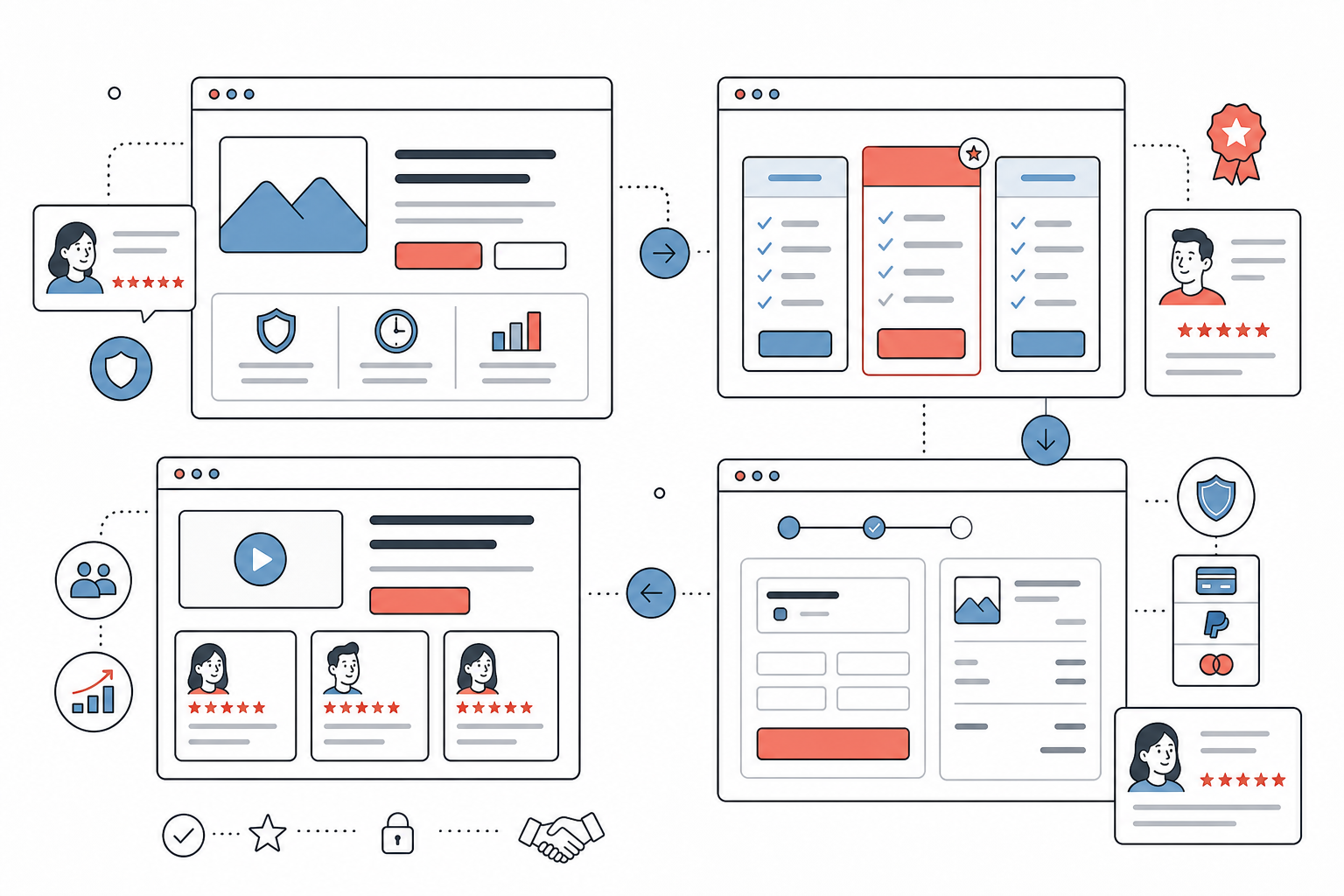
Here are the highest-impact places to add website social proof:
Homepage hero: Use one strong testimonial, customer logos, a rating, or a short trust line near your main CTA.
Homepage mid-page sections: Add testimonial cards near feature explanations so the proof supports the claim being made.
Pricing page: Use objection-handling testimonials, money-back guarantees, customer logos, and proof that reinforces the value of paid plans.
Checkout or signup flow: Add trust badges, short testimonials, ratings, and guarantee copy to reduce last-minute doubt.
Landing pages: Match proof to the campaign. If the page targets agencies, show agency testimonials. If it targets SaaS founders, show SaaS customer proof.
Product pages: Use reviews, UGC, ratings, and before-and-after examples close to product details and calls to action.
Email sequences: Link to testimonial walls, case studies, or video testimonials after a prospect has shown interest.
If your site runs on WordPress, this step-by-step guide shows how to display testimonials on WordPress with ProofWall.
How To Choose The Right Social Proof
You do not need all 15 types at once. The right choice depends on your business model, audience, and stage.
If you are a new business: Start with founder credibility, early user quotes, beta feedback, social media praise, and small but specific testimonials.
If you run a SaaS company: Use customer testimonials, pricing-page proof, customer logos, case studies, video testimonials, and usage numbers when they are strong enough to show.
If you run an agency or service business: Prioritize case studies, before-and-after results, client testimonials, video proof, and outcome-focused quotes.
If you sell ecommerce products: Use reviews, star ratings, UGC, customer photos, trust badges, and checkout reassurance.
If you run a course or community: Use student wins, member screenshots, community activity, expert endorsements, and video testimonials.
The simplest rule: place the most relevant proof next to the claim it supports.
If you say setup is fast, show a testimonial about fast setup. If you say your product helps teams save time, show a customer quote with a time-saving result. If you say your service is trusted by a specific audience, show proof from that audience.
Common Social Proof Mistakes To Avoid
Social proof can increase trust, but only when it feels honest and useful. Poor proof can make a website feel less credible.
Avoid these common mistakes:
- Using vague testimonials that do not say anything specific.
- Showing fake or unverifiable claims.
- Hiding your strongest proof too low on the page.
- Displaying outdated logos, numbers, or screenshots.
- Using too many widgets that distract from the CTA.
- Showing proof from the wrong audience.
- Publishing testimonials without permission.
- Making every quote sound over-polished and unnatural.
The best social proof feels real. It does not need to be perfect. It needs to be relevant, specific, and placed where trust matters.
How ProofWall Helps You Turn Customer Praise Into Website Trust
Most businesses already have more proof than they think. It is scattered across emails, support chats, customer calls, social posts, DMs, review sites, and sales conversations.
The hard part is turning that scattered praise into something your website can actually use.
ProofWall helps you collect, curate, and display text and video testimonials from one place. You can create testimonial collection forms, approve the best responses, organize them by project, and embed them across your site as walls, carousels, grids, or sliders.
That means you can add social proof to your homepage, pricing page, product pages, checkout flow, landing pages, Notion pages, Webflow site, WordPress site, or any page that supports custom embeds.
ProofWall is built for teams that want a simple testimonial system without another monthly subscription. You can see the widget styles in action, browse integration guides, or start collecting testimonials from your dashboard.
Final Thoughts
Trust is not built by saying "trust us." It is built by showing evidence that other people already did.
Customer testimonials, video reviews, case studies, star ratings, customer logos, UGC, and trust badges all help visitors feel more confident. The key is choosing the proof that matches your audience and placing it near the moments where doubt appears.
Start small. Add one strong testimonial near your main CTA. Create a simple wall of love. Add a relevant quote to your pricing page. Over time, your website becomes more than a place that explains what you sell. It becomes a place that proves people trust it.
Frequently Asked Questions
What is the best social proof example for most websites?+
Customer testimonials are usually the best starting point because they are flexible, easy to understand, and useful across homepages, landing pages, pricing pages, and signup flows.
Where should I place social proof on my website?+
Place social proof near important decisions. The homepage hero, pricing page, product pages, checkout flow, signup forms, and landing-page CTAs are usually the highest-impact locations.
Are video testimonials better than text testimonials?+
Video testimonials can feel more authentic because visitors can see and hear the customer, but text testimonials are easier to scan. The best approach is often to use both.
How many testimonials should a website have?+
Start with three to five strong testimonials on key pages. If you have more, create a testimonial wall or dedicated customer love page so visitors can browse deeper proof.
Can social proof hurt conversions?+
Yes, if it feels fake, outdated, irrelevant, or distracting. Social proof should support the page's message and CTA, not interrupt the visitor or make claims you cannot back up.